

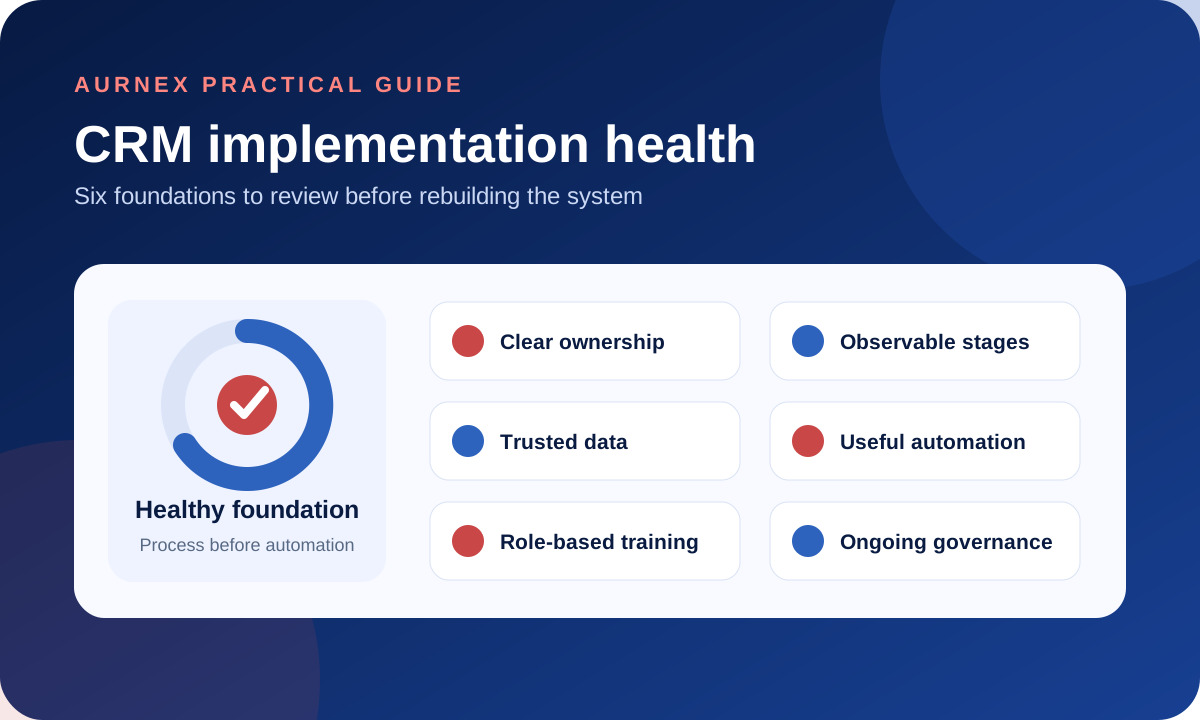
- CRM problems usually appear as missed ownership, inconsistent stages, incomplete activities and untrusted reporting.
- The cause may be the process, configuration, data, training or governance—not the software alone.
- A useful review identifies the failure type before adding more fields or automation.
01Failure often appears gradually
A CRM can remain technically available while becoming operationally unreliable. The warning signs appear in daily work rather than in a system error.
- 01New enquiries have no clear or timely owner.
- 02Salespeople keep private notes or spreadsheets.
- 03Deals remain in stages without a defined next action.
- 04Duplicate or incomplete records weaken reports.
- 05Managers ask users for updates that should already be visible.
02Ownership and qualification rules are unclear
Website forms, calls, campaigns, referrals and messaging channels can all create enquiries. Without a routing rule, response expectation and escalation path, records enter the CRM without creating accountability.
- 01Define which records enter as Leads.
- 02Assign ownership from territory, product, source or another agreed rule.
- 03Set the expected first action and escalation condition.
- 04Measure unassigned records and time to first response.
03Pipeline stages do not describe observable progress
Stages such as Interested or Hot are difficult to audit because they depend on opinion. Action-based stages give the team a shared definition.
Negotiation can be a valid stage when entry and exit conditions are defined—for example, the proposal has been reviewed and commercial terms are actively being discussed. The problem is ambiguity, not the word itself.
04Data quality and structure reduce trust
Duplicate Accounts, inconsistent field use, outdated Deals and incomplete contact information make reports difficult to trust. Once users stop trusting the records, they return to parallel tools and the problem compounds.
- 01Define required fields only where they support a real decision.
- 02Set duplicate and naming rules before importing data.
- 03Assign responsibility for ongoing data review.
- 04Remove or archive records through an agreed policy.
05Automation is added before the process is stable
Too little automation leaves repeatable work dependent on memory. Too much automation can create noisy notifications, unexpected updates and difficult exceptions. Both problems come from applying automation without a stable operating rule.
- 01Automate a repeatable responsibility with a clear trigger.
- 02Identify the owner and exception path.
- 03Test with representative records before broad activation.
- 04Review whether the rule improves response, completion or data quality.
06Training covers screens instead of responsibilities
Users need more than a tour of buttons. Role-based training should explain which records they own, what each stage means, which fields matter, how exceptions are handled and which reports depend on their updates.
07The CRM no longer reflects the business
Products, territories, sales roles, pricing and handoffs change. A CRM that is never reviewed can preserve last year’s process while the team works around it. Governance should include periodic review of stages, ownership, automation, permissions and reporting.
08A 10-minute CRM health check
Score each statement 0, 1 or 2: 0 means not established, 1 means partly established, and 2 means consistently working. Seven statements produce a maximum score of 14.
- 01New enquiries receive a clear owner and expected response time.
- 02Qualification and conversion rules are documented.
- 03Pipeline stages have observable entry and exit conditions.
- 04Required follow-up is recorded and measurable.
- 05Duplicates and mandatory data are actively controlled.
- 06Automations have owners, exception paths and test evidence.
- 07Managers can use agreed reports without manual reconstruction.
Interpret the score
- 010–5: foundational controls are missing; prioritise process and ownership.
- 026–10: the structure is partly working; review the weakest statements first.
- 0311–14: the foundation is comparatively strong; validate adoption and exceptions.
This is a discussion aid, not an industry benchmark. The value comes from the evidence used for each score.
09What a recovery plan should contain
- 01A documented customer and opportunity lifecycle.
- 02Clear ownership, qualification and stage definitions.
- 03A controlled data-cleanup and migration plan.
- 04A minimum set of useful automations and reports.
- 05Role-based training using representative records.
- 06A post-launch review of adoption, data and exceptions.
10Fix the cause before rebuilding the system
A rebuild will not solve an unresolved ownership or process problem. Diagnose whether the failure comes from process design, configuration, data quality, user adoption or governance, then address those causes in a controlled order.
VerificationSources and product references+
Product statements were checked against these official Zoho pages. Availability can vary by region, edition and configuration.
Do these CRM failure patterns look familiar?
- ?Are users still maintaining spreadsheets alongside the CRM?
- ?Can every sales stage be explained as a completed action?
- ?Do managers trust the pipeline and conversion reports?
- ?Is the main issue process design, configuration, data quality or adoption?
If one or more of these warning signs exist, Aurnex can review the current workflow, configuration and reporting before recommending a repair or rebuild.
Book a consultation